A little stutter on the 152 exit
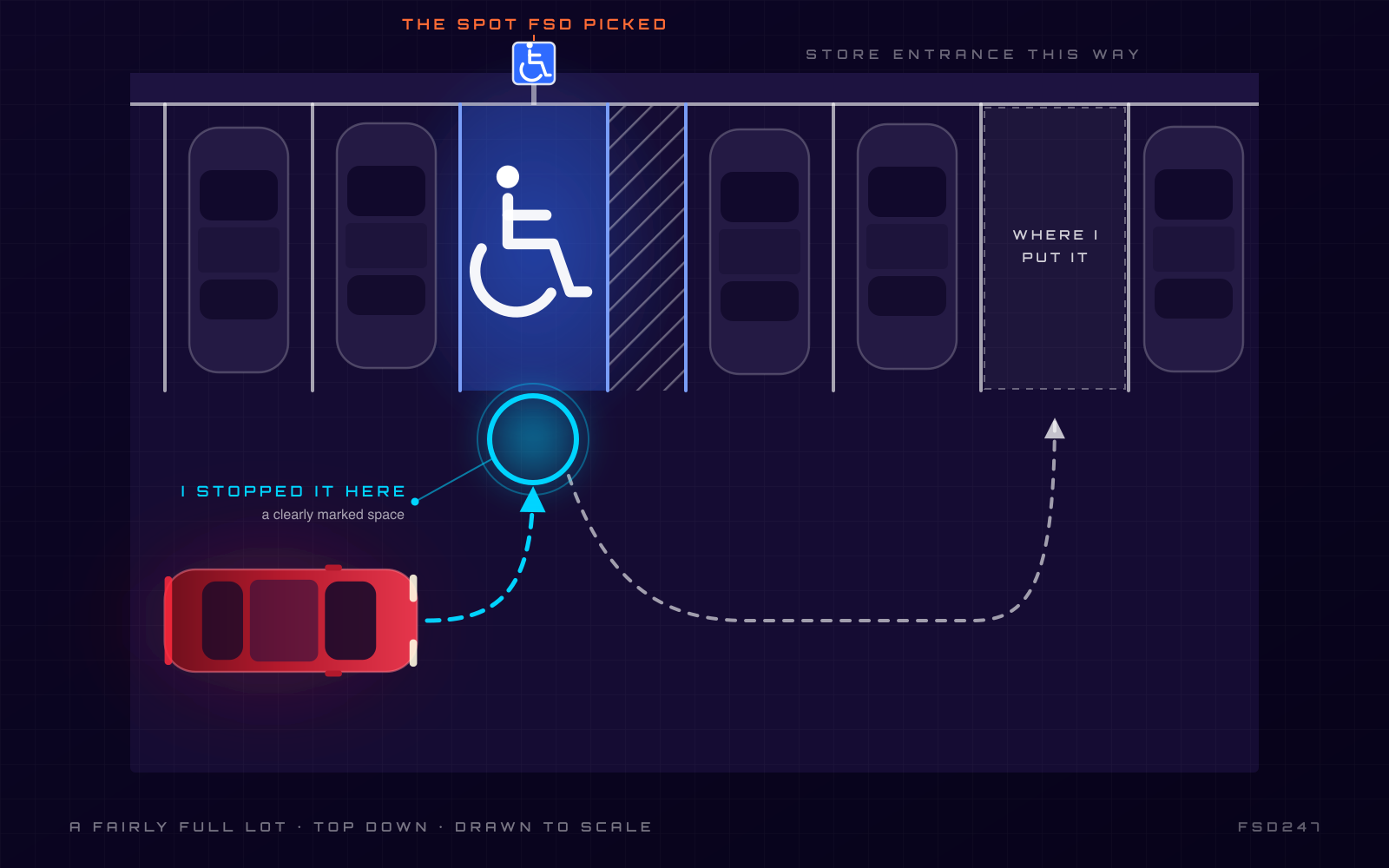
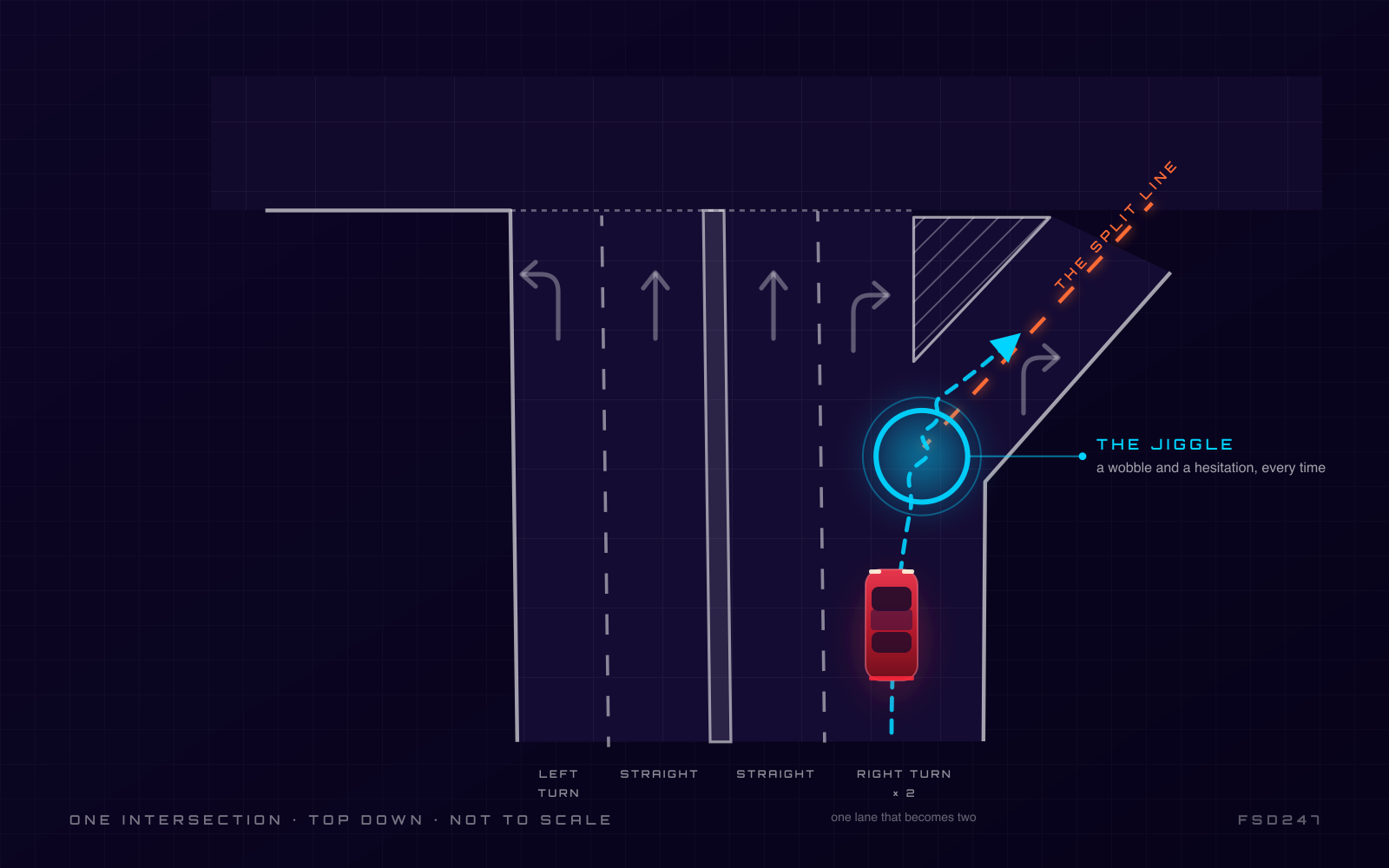
I was on 152 today, exiting the highway in a turning lane, and the car did something I can't quite explain. It stuttered — a quick brake and a little wobble in the…
Kansas City to everywhere. 17,324+ miles, about 98% of it on Full Self-Driving. Midnight Cherry Red Model Y Launch Edition. This is my FSD story — and everything I learned along the way.
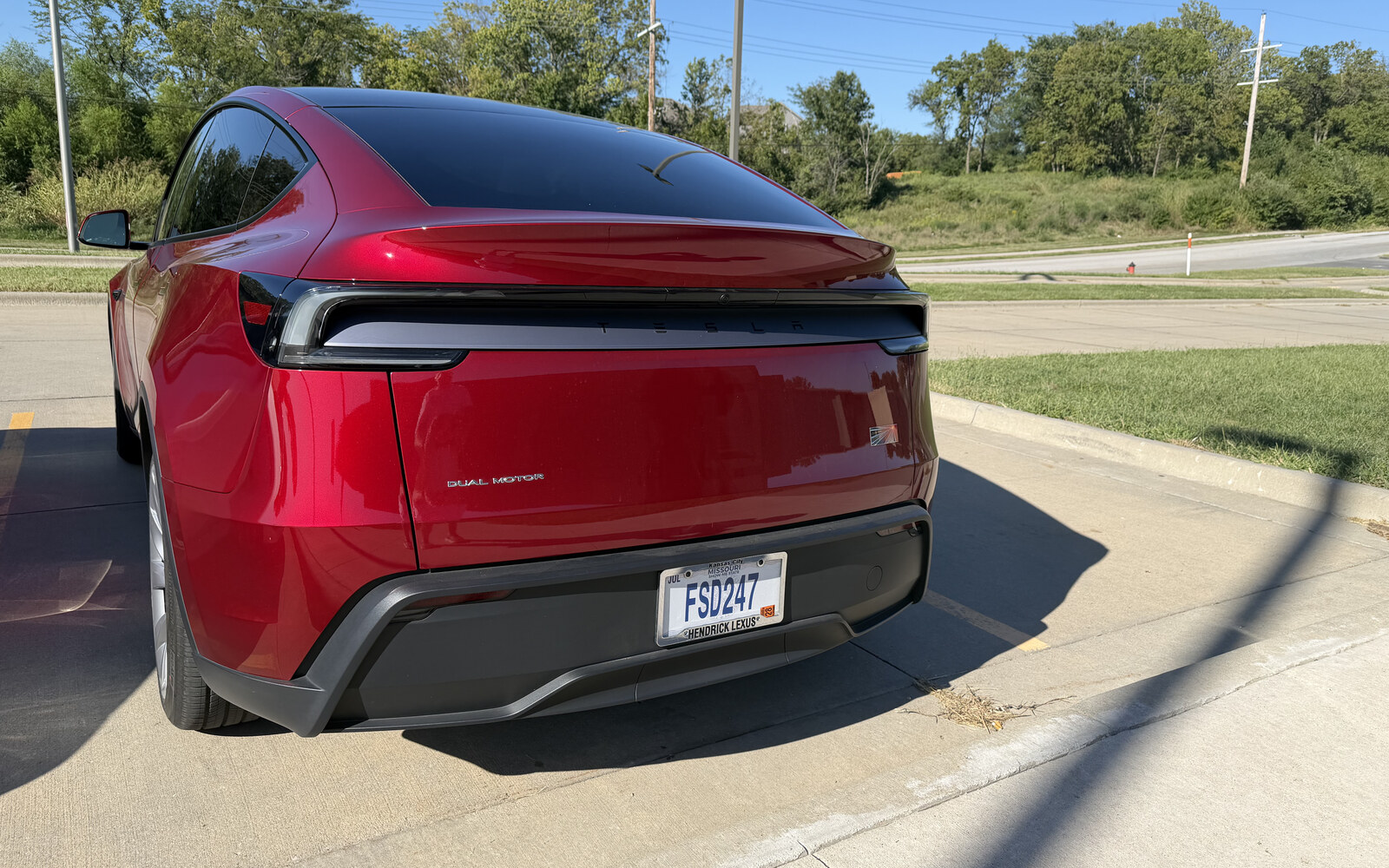
I’m the guy actually driving this thing. Kansas City, a Midnight Cherry Red Model Y Launch Edition, and more than 17,000 miles — about 98% of them on Full Self-Driving. I’m not a reviewer and I don’t run a channel. I’m just an owner who pays attention.
FSD247 is where I write down what the car actually does from my seat — the wins, the quirks, and the stuff that still makes me grab the wheel. Honest notes from real miles, build by build. If you’re thinking about a Tesla, I figure that’s worth more than the hype.
“Slightly frightening and an extraordinary joyride all at once.”
On January 24, 2025, I let a Tesla drive itself for the first time — a test drive, before I even owned one. From Shawnee Mission Parkway it took the wheel onto I-35, up US-169, across I-435 East, and down State Line Road, delivering me right into the Kansas City Tesla lot. Two months later my own Model Y Launch Edition arrived in Midnight Cherry Red, and I haven’t seen a road trip the same way since.
KANSAS CITY → MIAMI → DESTIN → EVERYWHERE
Real shots of my actual car and the milestones that stacked up over the year — the first drive, the long hauls, the charging stops in the middle of nowhere. I add new ones as the miles climb.
FSD owner’s log — real notes from 17,000+ miles. Not reviews, not hype: what the car actually did, from my seat, build by build.
I was on 152 today, exiting the highway in a turning lane, and the car did something I can't quite explain. It stuttered — a quick brake and a little wobble in the…
Kansas City is one long construction season, so this one matters to me. Even on 14.3.4, the car still doesn't seem to want to slow down through the work zones — and…
FSD still misreads speed limits, mostly in construction zones, and I've found a way to live with it. The trick is the speed profile. If I'm in Standard and the…
Parking has been hit-or-miss for the last couple of versions, and 14.3.4 hasn't fully fixed it. Sometimes it wants to park way too far from the building. Sometimes…
Tesla added a streak counter — it tracks how far you go without taking over, and it'll even throw confetti at the big milestones. I thought I'd try to let one ride.…
Some of the testers say Mad Max got assertive again in this build. I wouldn't know, because I won't touch it. Since I moved to 14.3.4, I've been living on Hurry…
AI DRIVR said Tesla's "20% faster reaction time" claim was an understatement, and I think he's onto something. I can't put an exact number on it — the situations…
Dirty Tesla says 14.3 will commit to an unprotected left the instant the blinker comes on, and he's right — I've seen it. The car is very comfortable making a left…
There's a lot of talk online about "brake stabs" — the car jabbing the brakes for no good reason. I keep hearing about it, and honestly, I don't run into it. Maybe…
I've never had FSD run a stop sign on me. What I have seen — especially this time of year — is the car not spotting a sign until it's right up on it, because the…
The attention nagging has dropped way down — I think it started easing back around 14.3.2, and it's been getting quieter ever since I first picked the car up. At…
Rush hour and stop-and-go become the easy part of the day. Less stress, more of your attention back.
Kansas City to Miami, down to Destin and back — every mile smoother, safer, and genuinely more fun.
Over-the-air updates make the car smarter right in your driveway, several times a year, at no cost.
Everything I get asked about Tesla Full Self-Driving, answered honestly by someone who actually drives it every day.
Tesla Full Self-Driving (Supervised) is an advanced driver-assistance system that can steer, accelerate, brake, change lanes, navigate intersections, and follow a route from one point to another on most roads. Despite the name, it is classified as SAE Level 2, which means the driver must stay attentive and ready to take over at any moment. It is not an autonomous robotaxi system for personally owned cars; you are always the responsible driver.
Once FSD is active on your Tesla account, you enable it in the car under Controls then Autopilot, and choose Full Self-Driving as your driving mode. To engage it on a drive, set a destination in navigation (optional) and pull the gear stalk down twice, or use the on-screen control depending on your model. The car will confirm FSD is active with a visual indicator, and you keep your attention on the road as prompted.
FSD runs on Tesla's in-house FSD computer (sometimes called Hardware 3 or Hardware 4), which has shipped in new Teslas for several years, including the Model Y Juniper. Any reasonably recent Model 3, Model Y, Model S, or Model X can run FSD once the capability is purchased or subscribed. If you are buying used, confirm the car has the FSD computer and that the capability transfers or can be added.
Yes. Tesla offers FSD as a monthly subscription, so you can activate it for a month, use it on your daily commute and a road trip, and cancel if it is not for you. Tesla has also periodically offered free trial periods. Trying it for a month is the lowest-risk way to see how it handles your real-world driving.
Most owners are comfortable within a few drives. The core habit is simple: let the car drive, keep your eyes on the road, and keep your hands ready on the wheel. The bigger adjustment is psychological rather than mechanical, learning to supervise calmly instead of micromanaging, while staying ready to intervene.
Basic Autopilot handles steering and speed within a single lane on highways (lane-keeping and traffic-aware cruise control). FSD adds city-street driving: automatic lane changes, turns, traffic lights and stop signs, roundabouts, and navigating from your start to your destination on surface streets. FSD is the far more capable system, but both require active driver supervision.
FSD is a separate option, not included by default with a new Model Y. New cars typically include Basic Autopilot, and you add FSD either as a one-time purchase or a monthly subscription. Check Tesla's site for current pricing and what is bundled in your region.
FSD uses eight cameras around the car to build a real-time view of the road, other vehicles, pedestrians, lane lines, and signs. That visual data feeds an end-to-end neural network that decides how to steer, accelerate, and brake, all processed on Tesla's onboard FSD computer. The system improves over time through over-the-air software updates trained on data from the wider Tesla fleet.
No. Tesla's current approach is vision-only, relying on eight cameras rather than lidar or radar. Tesla's reasoning is that roads are designed for human vision, so a camera-based neural network trained on real driving should generalize the same way a human driver does. This is a notable difference from many other self-driving programs that depend on lidar.
Starting with version 12, Tesla moved FSD to an end-to-end neural network, meaning the software learns driving behavior directly from video of human driving rather than relying on tens of thousands of hand-written rules. This made the car's behavior noticeably smoother and more human-like. The current releases are in the V13 and V14 family, each refining smoothness, decision-making, and edge-case handling.
Tesla collects anonymized driving data from its fleet, uses it to train improved versions of the neural network, and pushes updates to cars over the air. That means your car can gain new capabilities and smoother behavior without a trip to a service center. Over a year of ownership, most drivers notice meaningful improvement from update to update.
FSD uses eight cameras: three facing forward behind the windshield, one on each B-pillar, one on each front fender, and one at the rear. Together they give the system a surround view to track traffic, lane markings, signs, and pedestrians. Keeping these cameras clean and unobstructed matters for reliable performance.
Yes. FSD reads traffic lights, stop signs, and other common road signs, and it will stop, wait, and proceed accordingly. It handles four-way stops, protected and unprotected turns, and roundabouts, though complex or unusual intersections are still where you should be most attentive. As always, you remain responsible for confirming it is safe to proceed.
Yes. You can engage FSD without a destination and the car will drive, keep its lane, obey signals, and make reasonable lane and turn decisions on its own. Setting a destination, however, lets FSD plan turns and lane positioning ahead of time, which usually produces smoother, more purposeful driving. Most owners set a route for anything beyond a short hop.
No. Despite the name, FSD for consumer cars is FSD (Supervised), an SAE Level 2 system that requires an attentive driver at all times. You must keep your eyes on the road and be ready to take over instantly. It is not an unsupervised robotaxi, and you should never treat it as one.
You must stay ready to steer at all times, and the car uses a cabin camera and steering input to confirm you are paying attention. Depending on your software version and settings, the system may allow brief hands-off moments while still requiring your eyes on the road, but it will warn you and then disengage if it thinks you are not attentive. Treat it as hands-ready and eyes-on, always.
FSD monitors your attention with the interior camera and wheel sensors. If it detects you looking away, using your phone, or ignoring prompts, it issues escalating warnings. Continued inattention triggers a forced disengagement and can lock you out of FSD for the rest of the drive, a feature sometimes called a strikeout.
When used as intended, with an attentive driver supervising, FSD is a capable assistance system that many owners find reduces fatigue and stress. Its safety depends heavily on the human staying engaged, because the system can still make mistakes and requires you to catch them. It is a tool that supports a careful driver, not a replacement for one.
No, absolutely not. FSD requires your full attention and your readiness to take control at any second. Sleeping, reading, or watching video while the car drives is unsafe, against Tesla's terms, and defeats the required supervision. The cabin camera is specifically designed to detect and stop this behavior.
If FSD does something you disagree with, such as hesitating, taking a wrong lane, or misjudging a situation, you simply take over by steering, braking, or pressing the accelerator, which disengages it instantly. Your intervention is exactly why supervision is required. After a disengagement you can re-engage FSD once the situation is clear.
Any firm steering input, a tap of the brake, or in some cases pressing the accelerator will immediately disengage FSD and hand full control back to you. The transition is instant and intuitive, similar to grabbing the wheel from cruise control. Practicing a few deliberate takeovers early helps build the reflex so it feels natural when you need it.
Yes, FSD works in rain, and the cameras and neural network are trained on wet-weather driving. In heavy downpours, however, water on the lenses or reduced visibility can degrade performance and the car may slow down or ask you to take over. As a vision-based system, FSD is affected by the same visibility limits that challenge human drivers.
FSD can operate in light snow, but heavy snow, snow-covered lane markings, and slush thrown onto the cameras can reduce its reliability. Snow that covers the lane lines removes one of the system's main visual references, so expect more cautious behavior or requests to take over. In serious winter conditions, plan to do more of the driving yourself.
If a camera is blocked by mud, snow, ice, or heavy spray, FSD will warn you that visibility is reduced and may limit or disable itself until the view is clear. Because FSD is vision-only, a blocked camera directly limits what the system can see. Keeping the cameras and windshield clean is one of the simplest ways to keep FSD performing well.
Yes, FSD works at night and the cameras handle low-light driving, headlights, and illuminated signs and signals. Very dark rural roads with no lighting and faint lane markings are more challenging, so stay especially attentive there. Overall, many owners find night highway driving with FSD comfortable and confidence-inspiring.
FSD can drive in light fog, but dense fog that reduces visibility will degrade performance just as it would for a human driver. Because the system relies on cameras rather than radar or lidar, it cannot see through fog that the cameras cannot penetrate. In thick fog, reduce speed and be prepared to take over.
Direct, low-angle sun glare can momentarily wash out a camera the same way it can blind a human driver. FSD generally manages glare well, but in severe glare it may behave more cautiously or prompt you to take over. A clean windshield and clean camera area help the system cope with bright conditions.
Heavy, slow traffic is actually one of FSD's strong points, since it handles the constant stop-and-go, gap management, and lane discipline smoothly and reduces driver fatigue. It maintains following distance and creeps forward naturally without the jerkiness of older cruise systems. You still supervise, but congested commutes are where many owners feel FSD earns its keep.
Yes. Long highway drives are where FSD shines, handling lane keeping, lane changes, passing, and exits while you supervise, which noticeably cuts fatigue over hundreds of miles. Combined with the car's navigation and Supercharger routing, a road trip becomes far more relaxed. Many owners say FSD is the feature they appreciate most on long drives.
Charging stops are handled by the car's trip planner and navigation, not FSD itself, but the two work together seamlessly. You enter a destination and the navigation routes you through Superchargers with the right timing, while FSD does the driving between them. The result is a smooth point-to-point experience with charging built into the route.
FSD has a negligible direct effect on range; the computer's power draw is minor relative to driving the car. In some cases FSD's smooth, anticipatory driving can be slightly more efficient than aggressive human inputs. Your range is determined far more by speed, terrain, weather, and climate use than by whether FSD is engaged.
Yes. On the highway FSD will move out to pass slower traffic and return to a travel lane, and depending on your settings it can do so automatically or after you confirm. You can tune how assertive it is through the speed and lane-change settings. You should still glance at mirrors and supervise each maneuver.
Yes, when you have a destination set, FSD will position itself for and take the correct exits and interchanges along the route. Complex multi-lane interchanges are improving with each update but are still worth watching closely. Setting your route ahead of time gives the system the information it needs to handle these transitions smoothly.
FSD can navigate many construction zones, slowing down, following shifted lanes, and respecting cones, but construction is exactly the kind of unusual, changing environment where you should be most ready to take over. Temporary lane lines, flaggers, and sudden merges can confuse any Level 2 system. Treat construction zones as a take-the-wheel-soon situation.
It can do the vast majority of the driving on a typical trip, but no, you cannot disengage mentally or physically, because supervision is required the entire time. You will occasionally take over for construction, unusual situations, or personal preference. Think of FSD as doing most of the work while you stay the attentive pilot in command.
Tesla offers FSD either as a one-time purchase or as a monthly subscription, and pricing has changed over time, so check Tesla's site for the current figures in your region. The subscription is the easiest way to try it without a large upfront commitment. If you decide FSD is for you, a one-time purchase can make sense over the long run.
Yes. You can subscribe to FSD month to month and cancel anytime, which is ideal for trying it out or using it only during heavy-driving months like a road-trip season. The subscription requires your car to have the FSD-capable computer. Check Tesla's site for current monthly pricing.
If you drive a lot and plan to keep your Tesla for years, the one-time purchase often works out cheaper over time and may add resale appeal. If you want flexibility, drive less, or just want to test it, the subscription is the smarter start. A common approach is to subscribe first, confirm you love it, then decide on buying outright.
Historically a one-time FSD purchase has been tied to the car rather than the owner, though Tesla has occasionally run limited promotions allowing transfers to a new Tesla. Policies change, so confirm current transfer rules with Tesla before assuming it moves with you. A subscription, by contrast, is simply started or stopped per car.
Tesla's referral program rewards new buyers and the referring owner, and the specific perks change over time but have included credits and benefits that can offset FSD or charging costs. Using an existing owner's referral link when you buy or order is a no-cost way to capture whatever current incentive Tesla is offering. You can use this site's referral link at bit.ly/fsd247 to make sure you get any available benefit.
Just visit bit.ly/fsd247 before you place your Tesla order or activate eligible options, and it applies the referral so both you and the referrer get whatever Tesla is currently offering. It costs you nothing extra and often adds a benefit you would otherwise miss. If you have questions about FSD from a real owner first, that is exactly what this site is for.
Whether FSD is worth it depends on how much you drive and how much you value reduced fatigue on commutes and road trips. After more than a year and over 16,000 miles on FSD, I find it genuinely worthwhile for daily driving and long hauls, while always supervising. The honest recommendation is to subscribe for a month, try it on your own roads, and judge for yourself, and to use bit.ly/fsd247 if you order.
FSD may refuse to engage if the cameras are blocked or uncalibrated, if you are in an unsupported situation, if a recent software update is still calibrating, or if you have been locked out for inattention earlier in the drive. Check the screen for a specific message, which usually names the reason. A clean camera area, a completed calibration, and good visibility resolve most cases.
The attention warnings come from the cabin camera and steering sensors detecting that your eyes or hands may not be ready to take over. Looking away too long, wearing certain sunglasses or hats that obscure your eyes, or reaching for something can trigger them. Keep your eyes forward and stay ready at the wheel and the warnings largely disappear.
FSD updates arrive over the air, and your car notifies you when one is ready to install, usually overnight while parked and connected to Wi-Fi. Keeping the car on Wi-Fi at home and setting software preferences to receive updates promptly ensures you get new FSD versions as they roll out. After a major update, the car may need a short recalibration drive.
Yes. FSD includes settings for driving profile, speed offset, and lane-change behavior that let you make it more relaxed or more assertive within limits. If it brakes too early or hesitates, adjusting these can help, and behavior also continues to improve with software updates. Spend a few minutes in the Autopilot settings to dial it to your comfort.
Occasional unexpected braking, sometimes called phantom braking, can happen when the system misreads a shadow, an overpass, oncoming vehicles, or unclear road markings. It has become much rarer on recent end-to-end versions but can still occur. If it happens, stay calm, keep supervising, and know that updates continue to reduce these events.
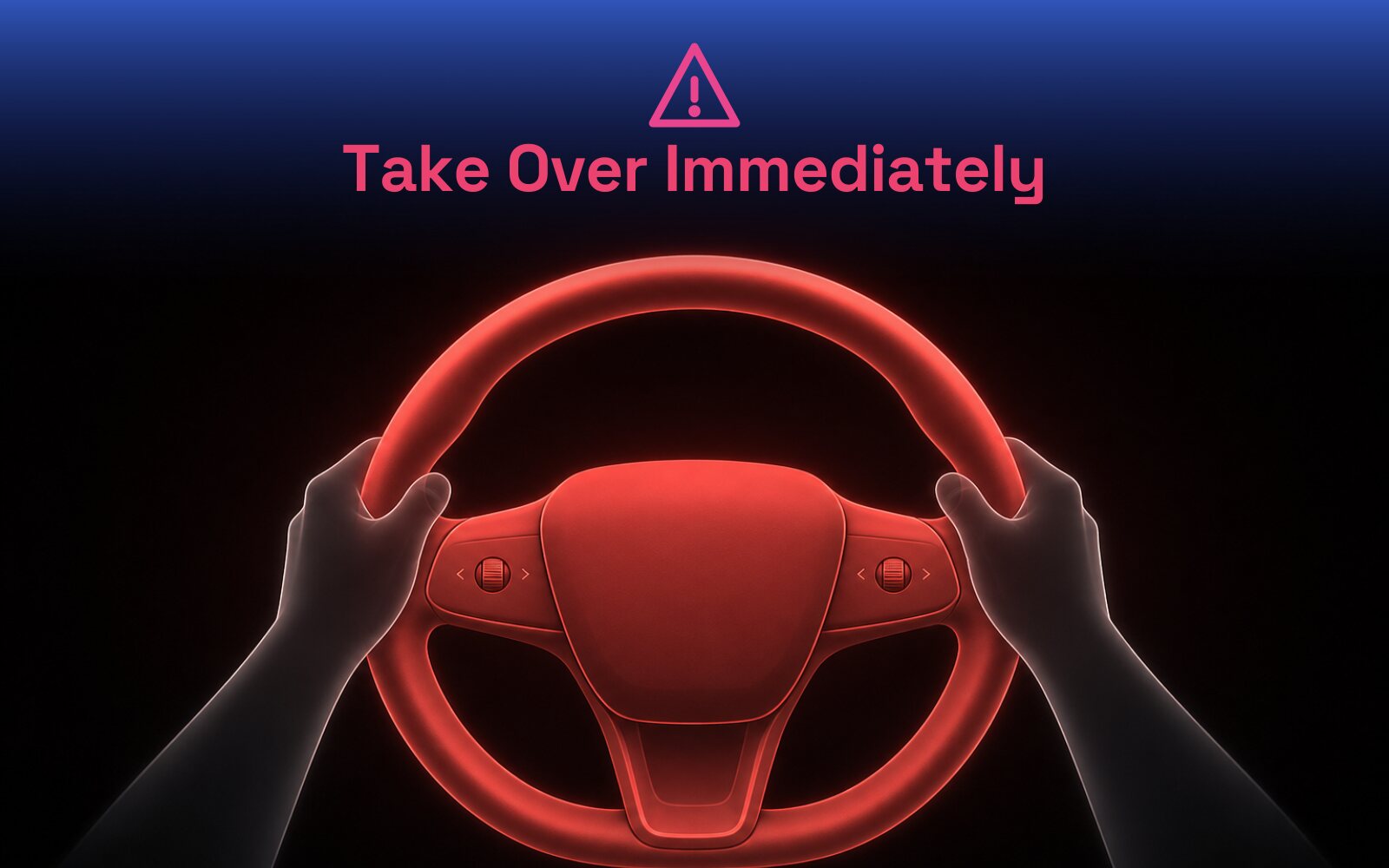
Take over immediately by steering or braking, then continue driving manually until the situation is clear. Many versions let you tap the camera icon or use voice to report what went wrong, which feeds back into Tesla's training data. Reporting odd behavior is one way owners help the whole fleet improve over time.
Keep your cameras and windshield clean, set a destination for smoother routing, use FSD most on highways and in heavy traffic where it excels, and stay attentive so the system never locks you out. Give it a few weeks before judging, since both the software and your comfort improve quickly. And remember it is an assistant: you are always the supervising driver, which is exactly how to use it well.
The releases, real-world tests, and rollouts I’m tracking as an owner who drives FSD every day. Updated regularly — here’s what matters right now.
Tesla began pushing FSD (Supervised) v14.3.4, firmware 2026.14.6.10, in mid-June 2026. The update brings Actually Smart Summon to the Cybertruck and adds FSD streak celebrations plus new arrival and parking options on the navigation map. Early testers report smoother low-speed behavior in construction zones, though some flagged a regression where the car misses highway exits and turns on rural roads.
Roger’s take: why I’ll never have a streak →With software update 2026.16.6, Tesla started rolling FSD (Supervised) v14.3.3 to Hardware 4 cars in Australia and New Zealand, moving the region off the older v13 branch nearly a year after FSD first launched there. The international build trails the North American version: it omits the increased 8 mph Smart Summon speed and the unified Summon/FSD/Robotaxi model. Hardware 3 owners are still waiting on the forthcoming FSD v14 Lite build.
In a June 2026 first-person test, Forbes contributor Brooke Crothers reported a Tesla FSD drive (v14.3.3) that required no interventions, including a moment where the car handled a lane-encroachment situation on its own. He argues the consumer system is getting harder to distinguish from a Level 4 driverless vehicle, while cautioning that no driver-assist system is perfect and that supervision still matters.
Tesla changes its “Refer and Earn” program every few months, so here is exactly where it stands right now — checked against Tesla’s own page and independent reporting. If the terms move, this section moves with them.
3 months of FSD
(Supervised), free
On a new Model 3 or Model Y ordered with a referral code. It has to be applied at order time.
$250 in credit —
$500 if you add FSD
Tesla credit toward Supercharging, software, service, or the Tesla Shop. Capped at 10 referrals a year; credits expire 12 months after they post.
Model S and Model X dropped from referrals entirely; the existing-owner loyalty discount was cut from $1,000 to $500.
Added the $500 referrer bonus when the buyer also adds FSD, plus a small demo-drive credit.
Tesla swapped upfront cash discounts for the 3-month FSD (Supervised) trial buyers get today.
FSD (Supervised) runs about $99 a month as a subscription, so three free months is around $300 in value — an estimate; check Tesla for current pricing. It is the cleanest way to actually live with the feature on your own roads before you decide whether to keep paying for it.
Can I add the referral after I order?
No. It has to be applied at order time. Once the car is purchased the free FSD months can’t be added back in, so grab the code before you place the order.
Does using your code cost me anything?
Nothing. Your price is exactly the same with or without a code — the only difference is that with one, you walk away with three free months of FSD.
Using my code is exactly how Tesla designed the program — it costs you nothing and gets you free FSD. I get a little Tesla credit, you get the better deal. That is the whole arrangement, and it is genuinely fine to use it.
Use my referral and start your own Full Self-Driving (Supervised) journey. It costs you nothing extra, and your next adventure is just a drive away.