Tesla FSD: How It Works
Eight cameras, a neural network, and a computer in the car. Here is how the system sees the road, why there is no lidar or radar in it, and how it keeps getting better while you sleep.
How does Tesla FSD work?
It’s got eight cameras looking all the way around the car, and it’s building a live picture out of that: other cars, people, lane lines, signs, all of it. That picture feeds a neural network that decides what to do with the steering and the pedals, and all of that math happens on a computer sitting in the car. Then it keeps getting better, because Tesla trains on data from the whole fleet and sends the updates out over the air. So the car you buy isn’t the car you have a year later, which is a strange thing to get used to and mostly a good one.
Does Tesla FSD use lidar or radar?
No. It’s cameras only, which is a real point of difference from most of the other self-driving programs out there. Tesla’s argument is that the roads were built for people with eyes, so a system trained on video of people driving ought to generalize the same way a person does. Whether you buy that argument is kind of the whole debate. What I can tell you from my seat is that it works well enough that I’ve run about 98% of 20,000-some miles on it, and that when the cameras can’t see, it can’t either. Which is exactly what you’d expect.
What is the FSD neural network (V12, V13, V14)?
Starting with version 12, Tesla quit writing out thousands of individual rules for the car to follow and switched to what they call end-to-end, meaning it learns how to drive from video of people driving. The difference was noticeable. The car got smoother and it started behaving more like a person and less like a machine following a checklist. We’re in the V13 and V14 family now, and each one has cleaned up a little more of the decision-making and the odd situations. I’m on 14.3.9 as I write this.
How does FSD get better over time?
Tesla pulls anonymized driving data off the fleet, trains a better version of the network on it, and pushes it to your car overnight while you’re asleep. No service appointment, no dealer, nothing. You wake up and the car drives a little differently. Over a year of ownership I’ve watched things I used to complain about quietly go away, the nagging especially. Some things haven’t budged yet, and parking is the one I keep writing about. But the fact that it moves at all is still kind of remarkable to me.
How many cameras does Tesla FSD use?
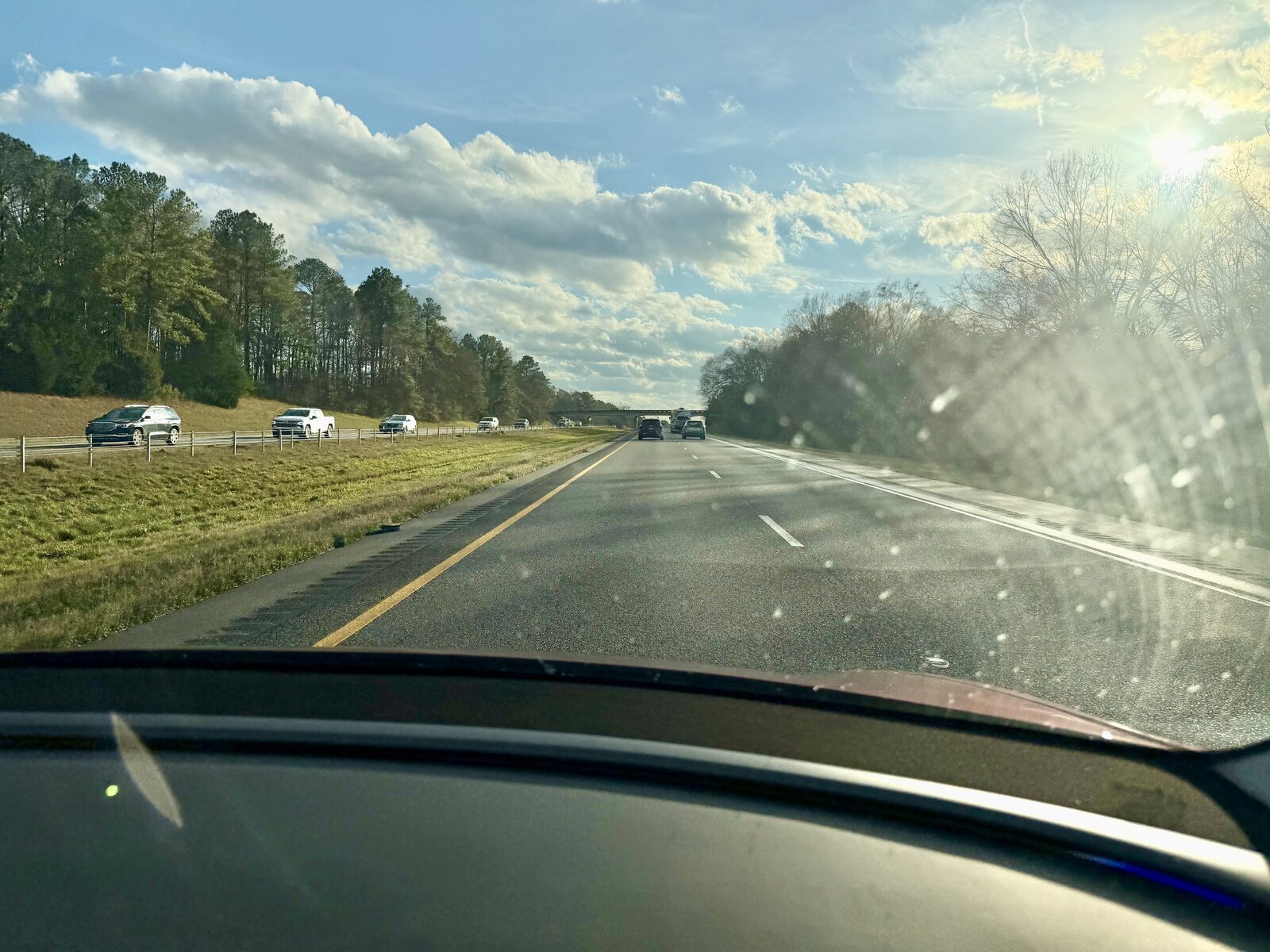
Eight. Three of them are up behind the windshield looking forward, there’s one on each B-pillar, one on each front fender, and one at the back. Together they give it a view all the way around. Keep them clean. That sounds like an obvious thing to say and it’s the single easiest thing you can do to make the system behave, because everything it knows about the world comes through those lenses.
Can FSD recognize traffic lights and stop signs?
Yes, and it’s good at it. It reads lights and stop signs and the usual signs, and it’ll stop, sit there, and go when it’s clear. Four-way stops, protected turns, unprotected turns, roundabouts, it does all of it. The weird intersections are where I pay the most attention, and I’d tell you to do the same. It’s also worth saying that a stop sign hiding behind a tree in July is a real thing, and I’ve written about that one, because the car doesn’t always see it as early as I do.
Does FSD work without a navigation route set?
It does. You can just engage it and go, and it’ll drive, hold its lane, obey the signals, and make reasonable choices about turns on its own. But it drives better with a destination in it. If it knows where you’re headed it can set up for turns and get in the right lane early instead of deciding at the last second. I put a destination in for anything longer than a run to the store.
Notes that back these answers
The reaction time really is faster than I expect
AI DRIVR said Tesla’s 20% faster reaction time claim was an understatement, and I think he’s onto something. I can’t put an exact number on it. The situations vary…
The cameras see through bugs better than I do
This windshield is what a southern interstate does to a car in the summer. Every one of those specks used to be airborne, and the front cameras live behind that…
Stop signs, summer trees, and what FSD sees before I do
I’ve never had FSD run a stop sign on me. What I have seen, and it’s worse this time of year, is the car not spotting a sign until it’s right up on it, because the…
Thinking about a Tesla? Get 3 months of FSD free.
Use my Tesla referral → Referral code: roger804133Not buying anything today? The same link books a demo drive, so you can go drive FSD yourself first.
Schedule a demo drive →Tesla gives you 3 free months of FSD and credits me, for an order or a demo drive. It costs you nothing either way. Full terms →