Tesla FSD jail, strikes and lockouts: what each one is, from an owner who has had both.
FSD jail is what owners call it when Full Self-Driving shuts off and won't come back on until you park. There are two ways to end up there, and I've had both. One is a strikeout: the car decides you weren't paying attention, turns FSD off for the rest of the drive, and counts a strike. Five strikes and Tesla suspends it for a week. The other is the red steering wheel I get when I speed up to get around traffic. Sometimes FSD comes right back after that one, and sometimes it's gone until I park. This page is what each one looks like on the screen, what causes it, how it clears, and what happened to me.
What FSD jail means
Four different things are involved, and they don't last the same amount of time. The rules here come from Tesla's Model Y owner’s manual. What happened to me is further down.
- A nag. A message telling you to pay attention to the road. It goes away when you look back at the road.
- A strikeout. You ignored the nags. FSD turns off for the rest of that drive, and you get a strike.
- A suspension. Five strikeouts and Autosteer and FSD are off for a week. Each strike is forgiven after 3.5 days if you don't get another one in that time.
- The speed lockout. The red steering wheel after you speed up with your foot while FSD is on. Tesla's alert list says Autosteer comes back once you stop and shift into Park. For me, FSD has sometimes come back sooner.
A strikeout: the “improper use” warning
What it looks like
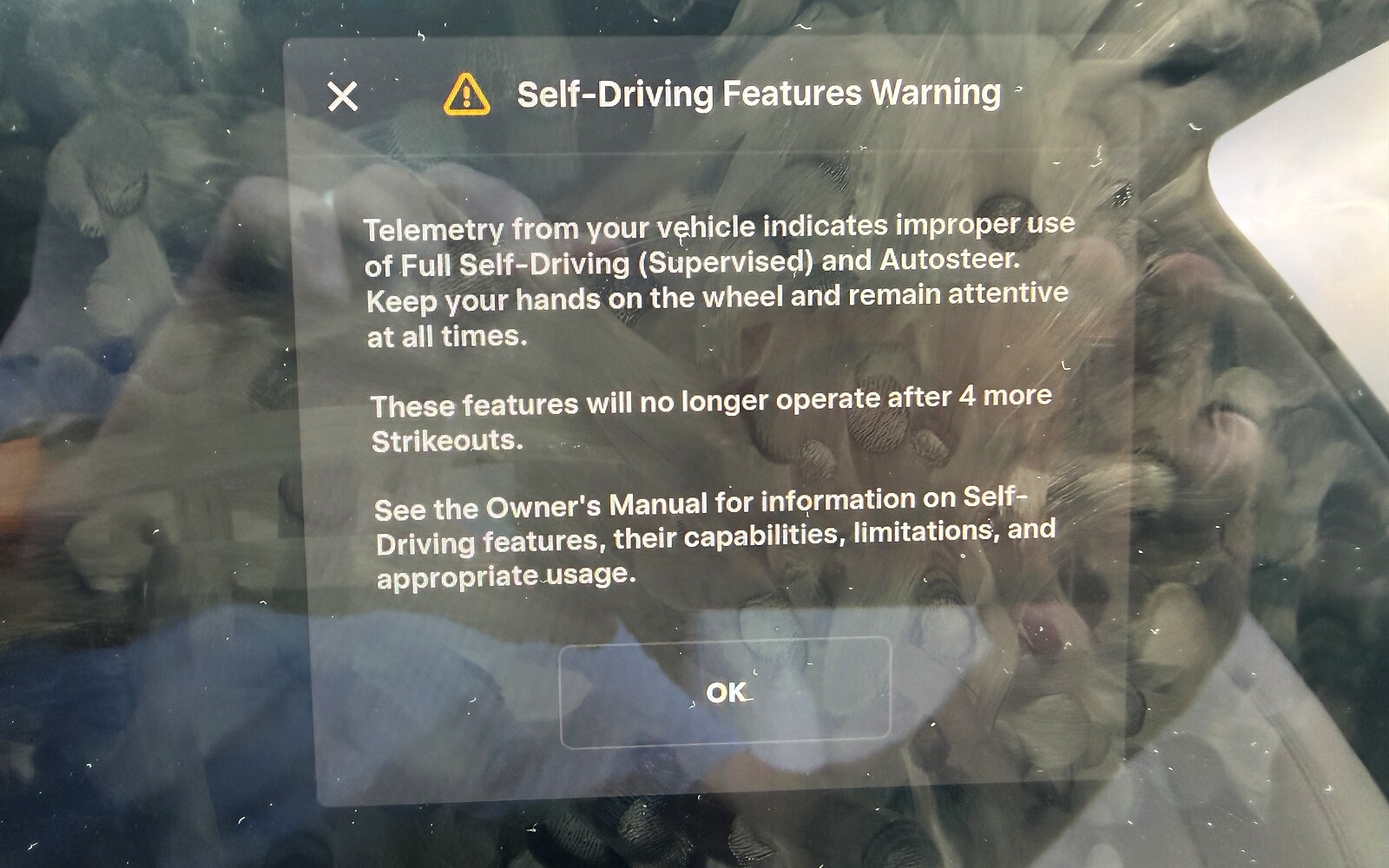
This is the screen I got. Across the top it says Self-Driving Features Warning, and under that it says:
Telemetry from your vehicle indicates improper use of Full Self-Driving (Supervised) and Autosteer. Keep your hands on the wheel and remain attentive at all times.
These features will no longer operate after 4 more Strikeouts.
My screen, July 2026
What causes it
Tesla's manual says the cabin camera watches you the whole time FSD is on, and that you can't turn it off. Look away from the road too often, or ignore the prompts to put a little turning force on the wheel, and the warnings get stronger. Ignore those, and FSD turns off for the rest of the drive. The manual shows the message for that as Self-Driving temporarily disabled, Driver attention warnings ignored. That is a strikeout. If you still don't take the wheel, the car sounds a steady chime, turns on the flashers and pulls over.
Taking over on purpose doesn't count. The manual says those takeovers are expected from the driver and aren't improper use.
How it clears, and how many strikes you get
The strikeout itself lasts for the rest of that drive. Each strike is forgiven after 3.5 days, as long as you don't get another one in that time. Get five, and Tesla suspends Autosteer and FSD for a week. You still have Traffic-Aware Cruise Control and the safety features during that week. The count goes with the car, not the person, so a strike another driver gets in your car counts too. To see how many you have left, go to Controls, then Self-Driving.
All of that is from the Self-Driving Suspension section of Tesla’s manual.
What happened to me
Somewhere in the Missouri bootheel on the way home this came up on the screen. Four more of those and it quits working for me. My first reaction, I'll admit, was to argue with it. I'd been driving since early, I was tired, I had 17% left and a charger I needed to get to. Then about a mile down the road my second reaction was that it was right.
That's the honest version of it. The thing is watching whether I'm actually supervising, and on the back half of a long day home I was not supervising as well as I do on hour one. Nobody is. I'd rather it nag me than not, I guess, even if it stung a little at the time.
Same morning, same screen: 17% in the top corner, and under the car, Sentry Mode currently unavailable, Low Power Mode is active. Somewhere south of twenty percent the car shut the security cameras down and put every mile it could scrape together toward the charger I still had to reach. I made the charger, for the record. That one is its own note, and so is the strikeout.
FSD hadn’t shut off before this warning came up. It was still driving.
I was without FSD until I pulled the car over, locked it, and stepped away from it.
Looking back, my recollection is that it was a speed issue. I was accelerating above its speed limit, which I think is 85 mph or a little higher, while I was trying to pass somebody.
I’ve had two or three more strikeouts since July. I usually end up with about one a month, and I do make a concerted effort to avoid them.
The red steering wheel: FSD unavailable after speeding up
What it looks like
I've run into one problem with the red steering wheel alert when I'm on FSD. FSD says it's shutting down, it's going to pull me over, and it tells me to take over immediately.
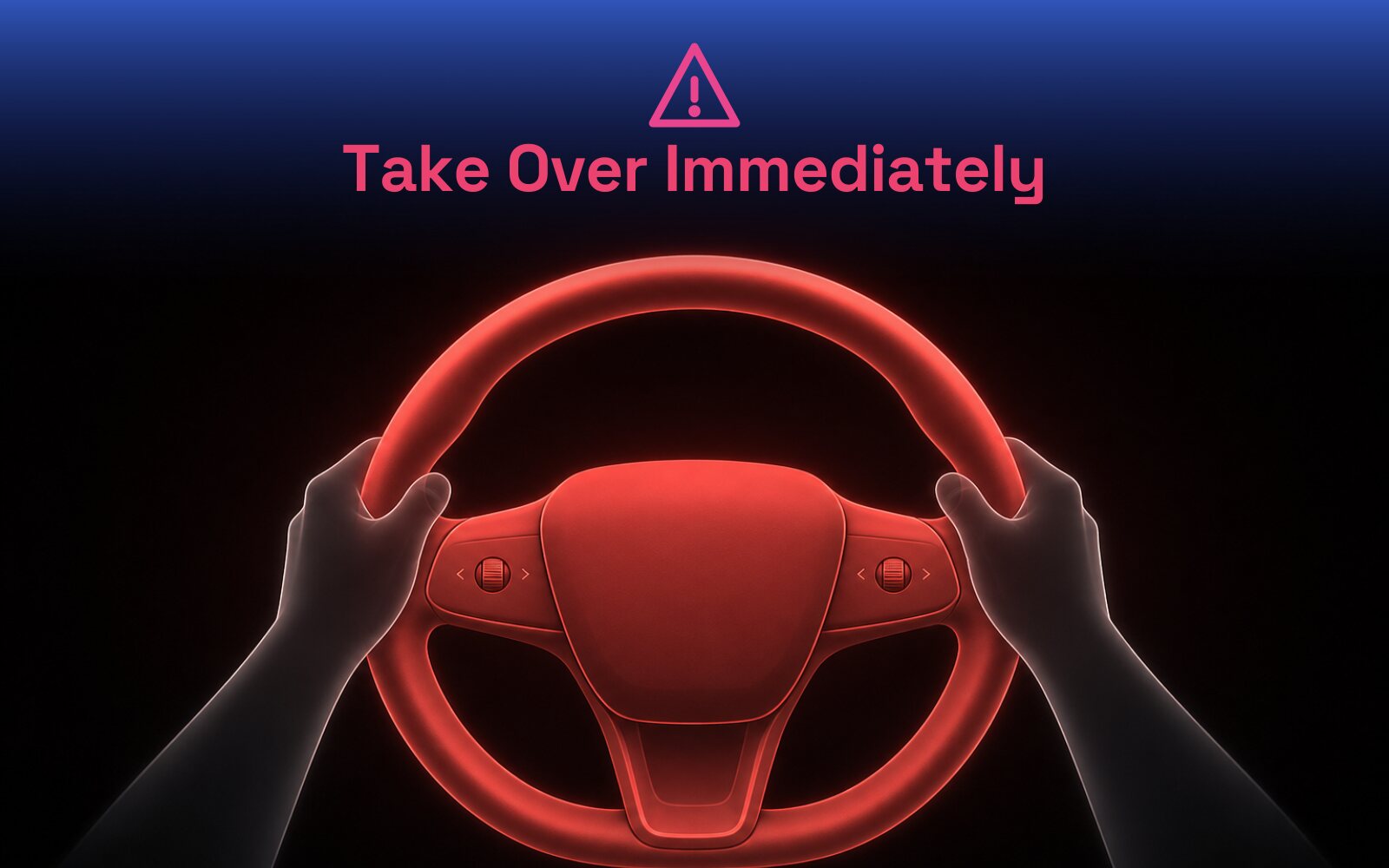
Tesla's manual says the Take over immediately message comes up when Self-Driving can't steer the car, and that you should take the wheel right then. The manual's list of alerts also has one called Autosteer speed limit exceeded, with Take control of steering wheel under it.
What causes it
If I accelerate significantly over the speed limit, which is sometimes what it takes to get around or past some traffic, I get this alert.
Tesla's manual says FSD can only be turned on below 85 mph, and that Autosteer works between 18 and 85 mph. The alert list says Autosteer turns off when the car goes past its top speed with Autosteer on. That page is written about Autosteer. It doesn't name FSD.
Other owners fill in part of it. A lot of them describe something close to what I've seen. Push the car past about 85 or 90 mph with your foot while FSD is on, and you get the red steering wheel, and FSD is gone until you put the car in Park. Owners call it FSD jail. One owner on 14.3.1 also reported that going over 100 mph at any point in a drive, even with FSD off, locks it out until you park.
How it clears
For Autosteer, the manual’s alert list says to bring the car to a complete stop and shift into Park. When you shift back into Drive for your next drive, it should be available again. In most cases, it says, it won't come back before then.
What happened to me
The last time this happened, I took over and immediately pushed the button to resume FSD. It went right back to driving. It didn't pull over or do anything else, and it didn't reset my drive streak.
Other times, no matter what I do, I cannot get FSD to reengage. The only thing that works is literally parking the car, locking it, stepping away from it, and then stepping back in and starting the trip again.
I'm certain I never went over 100, and I don't believe I even hit 90. So I can't say that speed is what separates my two situations. If the cutoff on my build is 85, that might explain it. If it's 90 or 100, then something else is going on, maybe a different alert than the one I think I'm getting.
One correction to my October 4 note. I wrote that the manual doesn't mention speeding to get around traffic. It does mention going too fast, on the alert list, for Autosteer. It usually is a speed issue for me, and the manual does say so.
I’ve tried shifting into Park and straight back into Drive. I’ve also tried resetting the whole system by holding in the two scroll wheels on the steering wheel. Nothing worked. Parking, locking it and walking away is the only thing that has.
When it stays locked out, I usually pull over as soon as it’s easy to. I’d rather be on FSD. I’m FSD 24/7.
Nags: the warnings that come before a strike
What it looks like
Tesla’s manual shows two of them. Please pay attention to the road comes up when you keep looking away from the road. Apply slight turning force to steering wheel comes up when the cabin camera can't see where your hands and arms are. A green indicator in the status bar means the cabin camera is watching.
For me, once in a while it wants a look from me if I've got sunglasses on, but even that barely registers anymore. The one nag I do still see is FSD is degraded due to weather, which shows up now and then in the rain. That one I don't mind at all. That's just the car being honest with me about what it can and can't see.
I see that warning most in heavy rain. I can’t recall FSD ever handing the car back to me because of the weather.
What causes it
The cabin camera and the wheel sensors think you're not ready to take it. Looking away too long will do it. So will certain sunglasses or a hat brim that covers your eyes, or reaching around for something in the seat. The manual adds one more: if the cabin camera sees a handheld device while FSD is on, you get a reminder to pay attention.
How it clears
Look back at the road. The manual says the warning goes away once you're paying attention again. Keep your eyes forward and your hands where they belong and the warnings mostly go away. If they don't, look at what's actually blocking the camera's view of your face.
Ignore the nags and the warnings get stronger. That is how a strikeout starts.
What happened to me
The attention nagging has dropped way down. I think it started easing off around 14.3.2, and it's been getting quieter ever since I first picked the car up. At this point it's minimal, if that. I have to really try to bother it. I wrote that in June, on 14.3.3. By September, on 14.3.9, the nagging went away.
Quiet nags didn't keep me from a strike, though. My first one came on a long day home, when I was tired.
On 14.3.10 it’s still very quiet. I’m not sure what triggers it. Once in a while it nags me in a way that surprises me, but most of the time I’m amazed at how little it nags.
Staying out of FSD jail
- Supervise the whole time. The way I think about it is hands-ready and eyes-on. That's the deal you're agreeing to when you turn it on.
- Watch yourself late in a long day. That is when I got mine.
- Give the camera a clear look at you. A hat brim or the wrong sunglasses can set off the nags.
- When the wheel turns red, take it. After that, the button sometimes brings FSD right back. When it doesn't, parking is the only thing that has worked for me.
- Believe the screen. If the screen says something specific, believe the screen.
- Know your count. Controls, then Self-Driving, shows how many strikeouts you have left.
Where the rules come from
Every rule on this page comes from Tesla's Model Y owner's manual, read in October 2026: the Full Self-Driving (Supervised) page, the Autosteer page, and the Troubleshooting Alerts list. Tesla says the features may not work exactly as described, depending on your car, your region and your software, so check the manual on your own screen. Anything here about other owners is what they report, not what Tesla says.
The notes behind this page

“Improper use of Full Self-Driving”: my strikeout warning, and it had a point
Somewhere in the Missouri bootheel on the way home this came up on the screen. Telemetry from your vehicle indicates improper use of Full Self-Driving. Four more of…

Why does FSD lock me out after speeding up one time, and not the next?
I’ve run into one problem with the red steering wheel alert when I’m on FSD. If I accelerate significantly over the speed limit, which is sometimes what it takes to…
The nagging has basically stopped
The attention nagging has dropped way down. I think it started easing off around 14.3.2, and it’s been getting quieter ever since I first picked the car up. At this…

At 17%, the car starts turning things off
Same morning as the strikeout warning, same screen, and here’s the detail I didn’t write about the first time. Look at the top corner: 17%. Now look under the car…

The car can now take over if I’m not paying attention
Software 2026.27.6 landed with FSD v14.3.9, and the release notes have something new in them: Automatic Collision Evasion. Tesla’s description is that FSD will…
Thinking about a Tesla? Get 3 months of FSD free.
Use my Tesla referral → Referral code: roger804133Not buying anything today? The same link books a demo drive, so you can go drive FSD yourself first.
Schedule a demo drive →Tesla gives you 3 free months of FSD and credits me, for an order or a demo drive. It costs you nothing either way. Full terms →